

Quick Start In 5 Steps
1. Add People

Invite your employees and colleagues so they can track time and be assigned work.
This allows you to monitor what they are spending their time on and see the profitability of projects.
This allows you to monitor what they are spending their time on and see the profitability of projects.
1. Adding a Person
In the top menu, select the People tab and then click on Add new Person on the right.
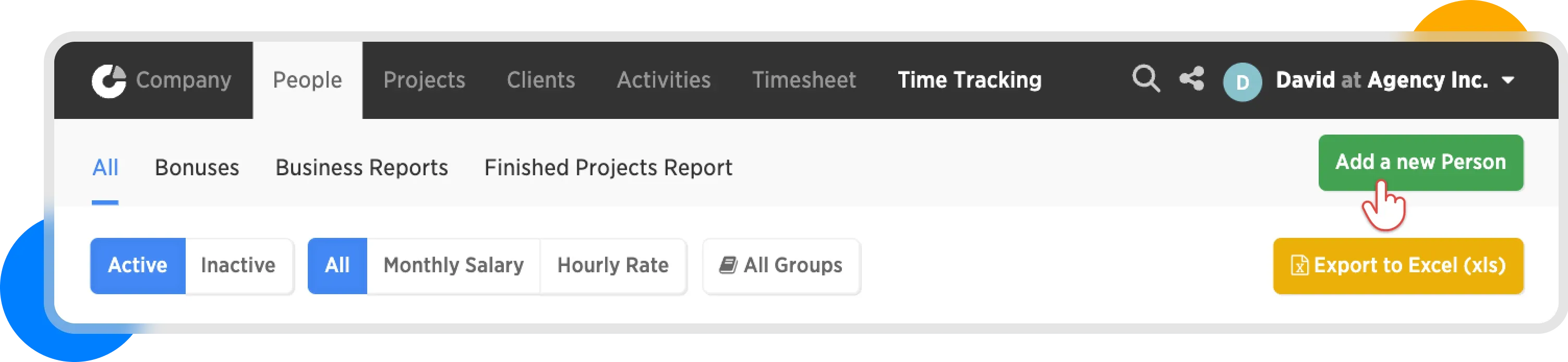
Add a new person
2. Fill in the Details
Enter the first name, last name, and email of the person.
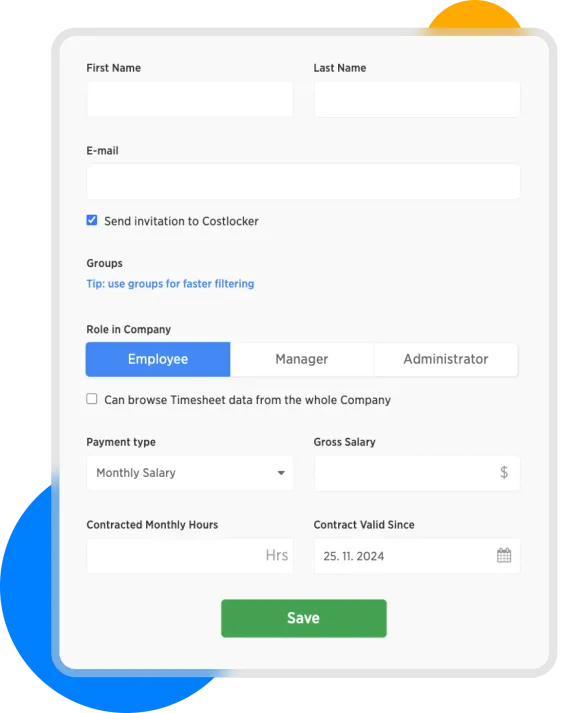
Add person form
3. Select a Role
- Owner: Has the highest permissions, manages the account subscription, and there can be only one.
- Administrator: Has access to almost everything, just like the owner, except for the subscription section.
- Manager: Has access to managing selected projects.
- Employee: Can only track time, sees their own logged time in the Timesheet, but cannot view any company financial information.
For detailed information about roles, read the article User Roles.
4. Set Salary
Enter the employee's compensation method, which Costlocker will use to calculate costs and allocate them to projects. This setting can be changed at any time. For testing purposes, approximate data will be enough.
- Monthly Salary: Standard monthly salary and working hours.
- Hourly Rate: Payment for hours worked, ideal for freelancers.
For more detailed information, see the article Salary.
Don't forget to add your own salary.
Select yourself in the People section and click on Edit Person.
Select yourself in the People section and click on Edit Person.
5. Send the Invitation
Click Save to send an invitation to your colleague. After the regsitration, the colleague can join your workspace in the Costlocker.
If you uncheck the Send Invitation to Costlocker checkbox, you will create the person in Costlocker without sending them an invitation. This is useful if you only want to import their timesheets or if you want to try out Costlocker by yourself first. You can assign projects to the colleague without notifying them, and send the invitation later.
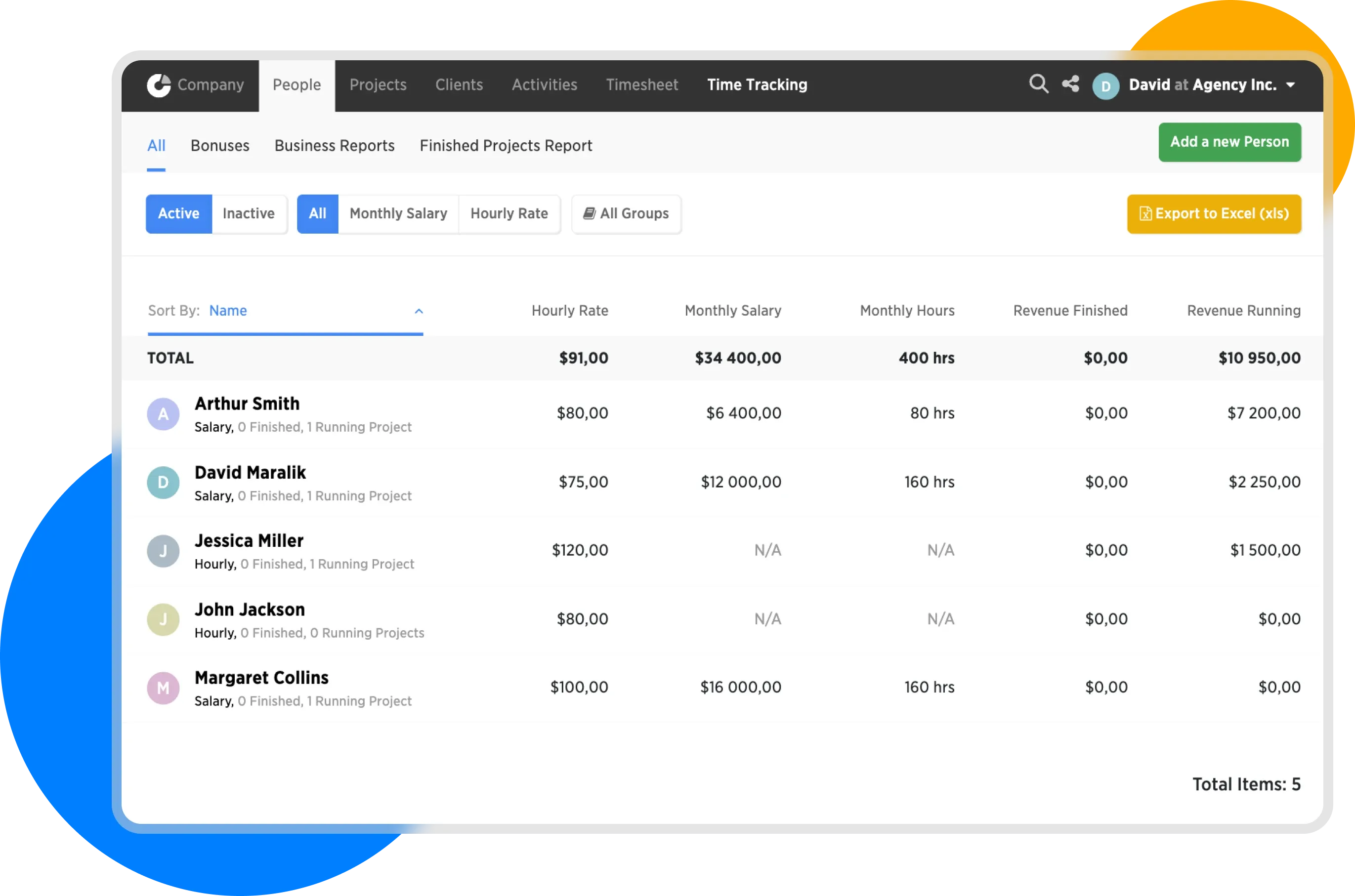
People overview
In the next step, we will look at creating activities...